

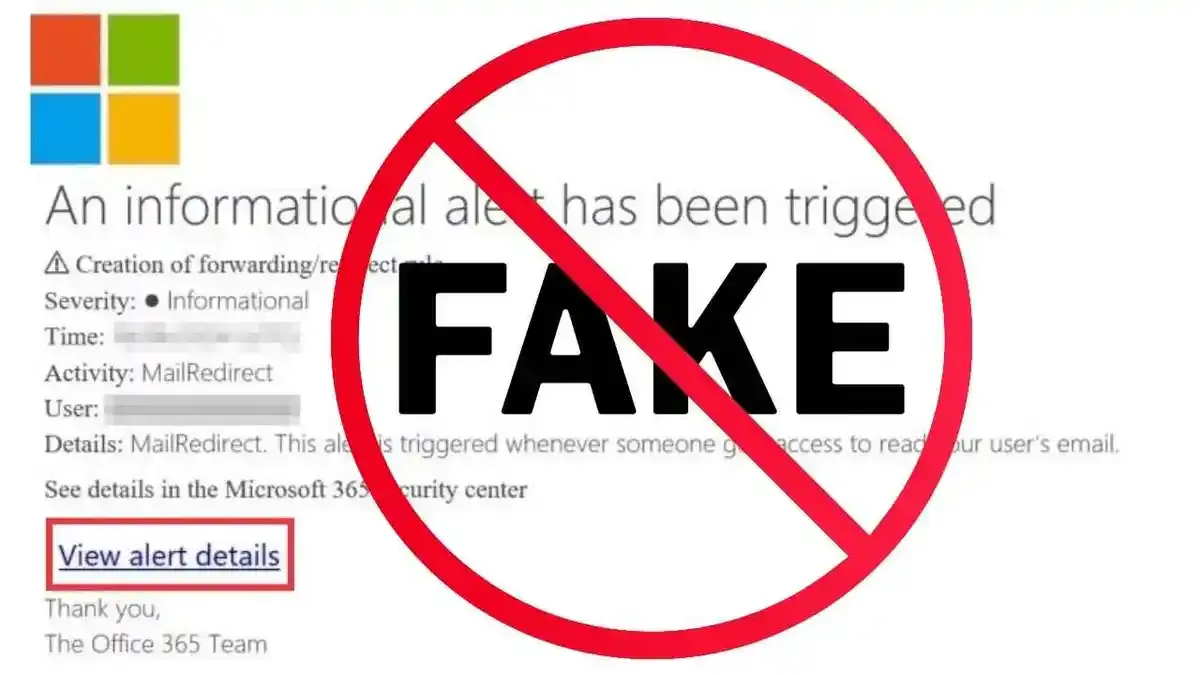
Emails are a way of life, and we use them to communicate just about everything. Look, you’re reading one now! What happens when an email comes from a company, let’s say Microsoft for instance, that looks legit? Do I read it? It might contain important account information.
Well? Do I?
Yes. WHAT!? Yes, do read it. However, be careful. Check for its legitimacy. Slow down and look for the red flags.
Is there a generic greeting such as “Dear User” or even just “User”? Microsoft will use your name; a scammer can’t; they blanket email and do not know who they are going to be hitting with the email.
Is there a fast-approaching deadline? Something like “Your access is going to end on such and such a date.” or “Your pictures are going to be deleted on this date if you do not act now.”
The email came from a “bad” address. something like [email protected] or the like. Microsoft will send you official emails and notices from their domain, not Outlook or Google or AOL.
Attached images. Microsoft is not going to attach anything to their official emails.
“Legal” information, such as “All rights reserved,” makes it look “official.”
When you click on the bad link, what will happen?
You would most likely be presented with a fake Microsoft login page that is meant to gather your information. It would ask you for your credentials, such as your email address and password.
What will they do with this information?
Use your imagination. They can go through your email, reset your passwords, and send out scam emails using your email to your friends and other contacts.
What do you do if you get this type of email?
You guessed it! DELETE it.
Just delete it.
If you are concerned about your account’s safety, check your account the good old-fashioned way. Log into it with your shortcut you have saved or type it into your address bar on your own. Do not use the link provided in the email.
If you did, click the link and enter your details.
Change your password immediately. Make sure you use a strong password. Use a password manager that will create a 20-character password that you do not have to remember. Use something like NordPass. That is our recommendation. (Evershield Technologies resells it, by the way.) Also enable the 2FA (two-factor authentication) on your account. By now you should have been forced to do so, but if not, it is a great idea to do so. We make it mandatory for all of our clients over at Evershield!
If you need help with any of this, please make sure you reach out. We are here to help.
As always, please feel free to reach out to us if you have any thoughts on this.
Stay Safe Out There!